
Setup in minutes
Install. Pair. Authorize. Ask.
WP Virtuoso separates commercial licensing from WordPress access so account entitlements and site credentials stay controlled independently.
1
Install WP Virtuoso
Upload and activate the plugin on the WordPress site you want to manage.
2
Connect your account
One-click pairing returns a signed licence bound to the site and account.
3
Authorize WordPress
Use a revocable WordPress Application Password for the AI/controller connection instead of sharing your normal administrator password.
4
Ask for real work
Read, create, update, diagnose or automate WordPress tasks in natural language.
5
Approve important writes
Guarded operations can stop for payload-bound approval before execution.
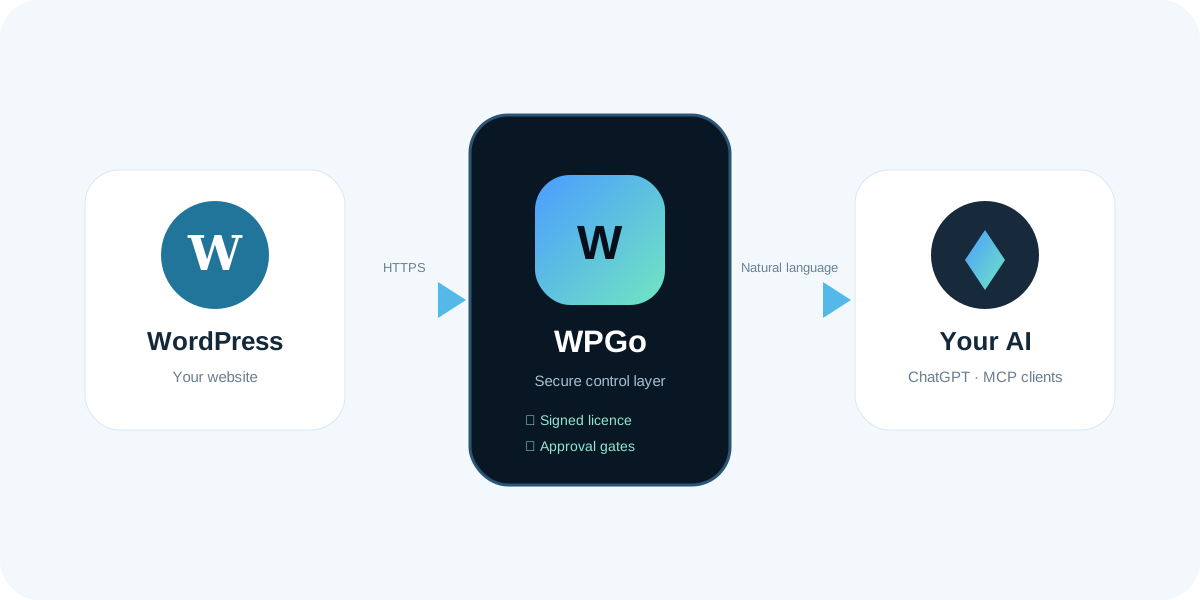
The principle
The AI asks. WP Virtuoso validates. WordPress executes.
That separation is what lets WP Virtuoso be useful on real websites without turning the AI into an unrestricted server administrator.